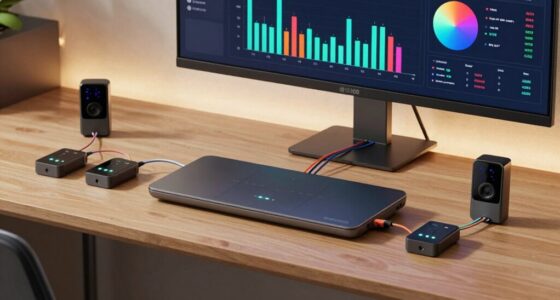
Choosing a Mac for an enterprise deployment means matching hardware to the actual workload, support plan, and physical setup—not simply buying the most powerful configuration. I’d start with the M4 Pro Mac mini for compact deskside work that needs more processing headroom, and the M4 Mac mini with 1TB storage for routine office and shared-workstation roles. For a different kind of deployment, the M5 Max MacBook Pro brings substantial performance to mobile staff, while the older Intel Mac Pro offers legacy expansion and memory capacity at the cost of age and uncertainty.

Get oils, diffusers and self-care delivered free with Prime
- Fast, free delivery on millions of items
- Prime Video, Amazon Music and more included
- Member-only deals all year
These products are not interchangeable. The Mac minis are small, current-generation desktops with limited internal upgrade options; the MacBook Pro is a mobile workstation with a built-in display and battery; and the renewed Intel Mac Pro is an older tower-class system whose listed ports and hardware may fit specific existing workflows. I rank them by how well their stated configuration suits repeatable enterprise roles, while weighing manageability, connectivity, longevity, and deployment risk. The right choice depends on whether your priority is standardized desk fleets, demanding local workloads, portability, or compatibility with older equipment.
Key Takeaways
- Best general-purpose fleet fit: The M4 Mac mini combines 24GB memory, 1TB SSD storage, and a small chassis suited to deskside and shared-office deployments.
- More compute in the same compact footprint: The M4 Pro Mac mini has a 12-core CPU and 16-core GPU, but its listed 512GB SSD gives less local storage than the standard M4 configuration.
- Best for mobile specialist staff: The M5 Max MacBook Pro pairs 128GB unified memory with a 16.2-inch display and Thunderbolt 5, though its high-end specification is excessive for many office roles.
- Legacy-only consideration: The renewed Intel Mac Pro provides 64GB ECC memory and dual FirePro graphics, but its older processor and Thunderbolt 2 connections call for careful software and peripheral checks.
- Deployment fit matters more than headline power: I would standardize a fleet around current Macs only after validating required apps, security controls, support coverage, network access, and device-management workflows.
| Mac mini with M4 10-core CPU and 10-core GPU, 24GB Memory, 1TB Storage |  | Best Overall for Standardized Desk Fleets | Processor: M4, 10-core CPU | Graphics: 10-core GPU | Memory: 24GB | VIEW ON AMAZON | See Our Full Breakdown |
| Apple 2024 Mac mini Desktop Computer with M4 Pro Chip, 24GB RAM, 512GB SSD |  | Best Compact Performance Upgrade | Processor: M4 Pro, 12-core CPU | Graphics: 16-core GPU | Memory: 24GB unified memory | VIEW ON AMAZON | See Our Full Breakdown |
| Apple MacBook Pro Laptop with M5 Max, 16.2-inch Display, 128GB Memory, 2TB SSD, Space Black |  | Best for Mobile Power Users | Processor: M5 Max, 18-core CPU | Graphics: 40-core GPU | Display: 16.2-inch Liquid Retina XDR | VIEW ON AMAZON | See Our Full Breakdown |
| Apple Mac Pro Quad Core 3.7GHz Xeon (ME253LL/A) 64GB RAM, 512GB SSD (Renewed) |  | Best for Specific Legacy Workflows | Processor: 3.7GHz quad-core Xeon | Memory: 64GB DDR3 ECC SDRAM | Storage: 512GB SSD | VIEW ON AMAZON | See Our Full Breakdown |
| mac pro for enterprise it deployment | Processor | Graphics | Memory | Storage |
|---|---|---|---|---|
| Mac mini with M4 10-core CPU a | M4, 10-core CPU | 10-core GPU | 24GB | 1TB SSD |
| Apple 2024 Mac mini Desktop Co | M4 Pro, 12-core CPU | 16-core GPU | 24GB unified memory | 512GB SSD |
| Apple MacBook Pro Laptop with | M5 Max, 18-core CPU | 40-core GPU | 128GB unified memory | 2TB SSD |
| Apple Mac Pro Quad Core 3.7GHz | 3.7GHz quad-core Xeon | Dual AMD FirePro D300, 2GB GDDR5 each | 64GB DDR3 ECC SDRAM | 512GB SSD |
More Details on Our Top Picks
Mac mini with M4 10-core CPU and 10-core GPU, 24GB Memory, 1TB Storage
For a broad enterprise rollout, I put this M4 Mac mini first because its configuration balances compact deployment with useful memory and local storage. The 5-by-5-inch chassis can sit under a monitor or in a small workstation area, while 24GB memory and a 1TB SSD give staff more breathing room than the 512GB drive listed for the M4 Pro model. That storage difference can matter for users keeping active files, local project data, or cached work on the device.
The tradeoff is that the standard M4 is not the lineup’s strongest option for sustained compute or graphics-heavy jobs. The M4 Pro Mac mini has a 12-core CPU and 16-core GPU, compared with this model’s 10-core CPU and 10-core GPU. I would choose the Pro for users whose applications can make practical use of that extra capability; for common office, support, and shared workstation roles, the M4 model’s larger stated SSD may be the more useful configuration.
Its port selection includes Thunderbolt, HDMI, USB-C, Ethernet, and a headphone jack, which gives IT teams several paths for connecting screens and peripherals. Still, its compact design means buyers should plan around the configuration they order: internal upgrade flexibility is limited, and there is no dedicated graphics-card option. I see it as the safest general-purpose choice here, not a universal workstation replacement.
Pros:- Small 5-by-5-inch chassis fits neatly into dense workstation layouts.
- 24GB memory and a 1TB SSD provide a balanced configuration for varied everyday work.
- Thunderbolt, HDMI, USB-C, and Ethernet support common desk connections.
- M4 performance is a practical match for many standard enterprise endpoint roles.
Cons:- Compact design offers limited internal upgrade options after deployment.
- Integrated graphics do not replace a workstation-class dedicated GPU.
- Less CPU and GPU headroom than the M4 Pro Mac mini for demanding applications.
Best for: IT teams standardizing compact desk or shared workstations for office users who need a current M4 system, 24GB memory, and 1TB local storage.
Not ideal for: Users with demanding GPU workloads, a need for internal hardware expansion, or applications that specifically call for the M4 Pro’s higher core count.
- Processor:M4, 10-core CPU
- Graphics:10-core GPU
- Memory:24GB
- Storage:1TB SSD
- Dimensions:5 x 5 inches
- Connectivity:Thunderbolt, HDMI, USB-C, Ethernet, headphone jack
Our verdict“I’d make this the default pick for compact enterprise desks where balanced memory and 1TB storage matter more than maximum compute.”
Apple 2024 Mac mini Desktop Computer with M4 Pro Chip, 24GB RAM, 512GB SSD
This M4 Pro Mac mini is the option I’d assign when a small workstation must do more than routine office work. Its 12-core CPU and 16-core GPU exceed the standard M4 Mac mini’s stated 10-core CPU and 10-core GPU, while the chassis remains a compact 5-by-5-inch desktop. That makes it a more capable choice for demanding creative applications, development tasks, and other workloads that benefit from stronger local compute without moving to a larger workstation.
Its main compromise is visible in the configuration: it has a 512GB SSD, half the listed capacity of the standard M4 Mac mini. Teams with large local files may need to plan external storage or a network-based workflow, adding another item to deployment and support planning. For general office endpoints, I would favor the M4 model with 1TB storage; for staff who can use the Pro chip, I’d accept the smaller drive only after checking actual storage requirements.
The listed ports include Thunderbolt, HDMI, USB-C, and a headphone jack, with Gigabit Ethernet specified. As with the other mini, its small size is useful but leaves little room for internal expansion, and it has no dedicated graphics card option. Compared with the M5 Max MacBook Pro, it is a better fit for a fixed desk and avoids paying for a built-in display and battery, but it cannot follow a user between locations.
Pros:- M4 Pro chip offers more CPU and GPU cores than the standard M4 mini.
- Compact chassis can fit into space-constrained desk deployments.
- Thunderbolt, HDMI, USB-C, and Gigabit Ethernet support common workstation connections.
- A focused fixed-desktop alternative to a larger tower or mobile workstation.
Cons:- 512GB SSD is smaller than the 1TB drive in the standard M4 Mac mini configuration.
- Limited internal upgrade options make configuration planning important.
- No dedicated graphics card option for workloads that require one.
Best for: Teams deploying compact fixed workstations for developers, creative staff, or other users whose applications can benefit from the M4 Pro’s higher CPU and GPU core counts.
Not ideal for: General office fleets that prioritize more local storage per device, mobile users, or workflows requiring internal graphics-card expansion.
- Processor:M4 Pro, 12-core CPU
- Graphics:16-core GPU
- Memory:24GB unified memory
- Storage:512GB SSD
- Ethernet:Gigabit Ethernet
- Ports:Thunderbolt, HDMI, USB-C, headphone jack
- Size:5 x 5 inches
Our verdict“I’d choose this over the standard M4 mini for compute-heavy desk roles, provided 512GB of local storage fits the user’s workflow.”
Apple MacBook Pro Laptop with M5 Max, 16.2-inch Display, 128GB Memory, 2TB SSD, Space Black
For enterprise staff who need workstation-level capacity while moving between offices or client sites, this MacBook Pro has a different role from either Mac mini. Its M5 Max chip, 128GB unified memory, and 2TB SSD make it the most extensively configured option in this group, and the 16.2-inch Liquid Retina XDR display lets a user work without an external monitor. Three Thunderbolt 5 ports, HDMI, and an SDXC slot also give teams several connection options for mobile and desk-based setups.
That capability comes with a deployment tradeoff: this is a high-spec laptop, not an economical default for every employee. The Mac minis are easier to assign as stationary endpoints when portability is irrelevant, and the M4 Pro mini may cover some demanding desk workloads without adding a built-in screen and battery. I would reserve this model for staff whose travel, specialist applications, or large memory needs justify a premium mobile configuration.
The supplied description lists a 12MP Center Stage camera, Wi-Fi 7, Bluetooth 6, and a six-speaker system with Spatial Audio and Dolby Atmos. Those features can support conferencing and multimedia work, but they do not automatically simplify fleet administration. Its large, heavy chassis may also be less appealing for frequent commuting, and buyers should confirm software compatibility and the device’s support terms before making it a standard mobile platform.
Pros:- M5 Max configuration combines an 18-core CPU, 40-core GPU, and 128GB unified memory.
- 2TB SSD provides more local capacity than either Mac mini configuration listed here.
- 16.2-inch Liquid Retina XDR display supports mobile work without a separate monitor.
- Thunderbolt 5, HDMI, SDXC, and MagSafe 3 offer varied connection and charging options.
Cons:- High-end configuration may exceed the needs of many enterprise roles.
- Large and heavy relative to compact Mac mini desk systems.
- A mobile design adds a built-in display and battery that fixed-desk users may not need.
Best for: Mobile creative, engineering, or technical staff who need substantial memory and local storage alongside a capable built-in display and broad connectivity.
Not ideal for: Large general employee fleets, users who work almost entirely at fixed desks, or teams whose applications do not need this level of memory and graphics capability.
- Processor:M5 Max, 18-core CPU
- Graphics:40-core GPU
- Display:16.2-inch Liquid Retina XDR
- Memory:128GB unified memory
- Storage:2TB SSD
- Ports:Three Thunderbolt 5, MagSafe 3, SDXC, HDMI, headphone jack
- Wireless:Wi-Fi 7, Bluetooth 6
- Camera:12MP Center Stage
Our verdict“I’d assign this to mobile specialists who can use its memory, graphics, and integrated display, rather than make it the standard employee Mac.”
Apple Mac Pro Quad Core 3.7GHz Xeon (ME253LL/A) 64GB RAM, 512GB SSD (Renewed)
This renewed Intel Mac Pro earns a place only for a narrow enterprise use case: a team with a verified dependency on older Mac hardware, its graphics setup, or its legacy connectivity. The configuration includes a 3.7GHz quad-core Xeon, 64GB of DDR3 ECC memory, a 512GB SSD, and dual AMD FirePro D300 graphics. ECC memory and its older workstation orientation may matter to a specialist workflow, but the model is a very different proposition from the current M4 and M5 machines above.
The six Thunderbolt 2 ports, four USB 3.0 ports, and HDMI 1.4 connection can suit equipment already built around those interfaces. That same specification is a drawback for a new fleet: compared with the Thunderbolt connections on the Mac minis and Thunderbolt 5 on the MacBook Pro, Thunderbolt 2 is dated and may require adapters or a more involved peripheral plan. A four-core Xeon also makes this a poor default for teams seeking current-generation performance.
Its renewed condition adds another layer of uncertainty. The supplied information does not specify the warranty or service arrangement, so I would verify both, along with the machine’s operating-system and application compatibility, before assigning it to business-critical work. The M4 Pro mini is the stronger compact workstation choice for teams beginning a new deployment; I’d consider this Mac Pro only when a concrete legacy requirement outweighs its age and refurbishment risks.
Pros:- 64GB DDR3 ECC memory is specified for this configuration.
- Dual AMD FirePro D300 graphics may suit compatible legacy professional workflows.
- Six Thunderbolt 2 ports and four USB 3.0 ports provide several connections for older setups.
- Tower-class system is distinct from the fixed, compact Mac mini designs.
Cons:- Older quad-core Xeon platform is a weaker fit for new enterprise deployments than current Apple silicon options.
- Renewed condition and warranty coverage need direct verification.
- Thunderbolt 2 and HDMI 1.4 may require adapters or limit newer peripheral setups.
Best for: Organizations maintaining a specific older Mac workflow, peripheral setup, or application dependency that has been validated on this renewed Intel Mac Pro.
Not ideal for: Teams creating a new standard endpoint fleet, buyers who need current-generation connectivity, or users who require confirmed long-term support and warranty terms.
- Processor:3.7GHz quad-core Xeon
- Memory:64GB DDR3 ECC SDRAM
- Storage:512GB SSD
- Graphics:Dual AMD FirePro D300, 2GB GDDR5 each
- Thunderbolt:Six Thunderbolt 2 ports
- USB:Four USB 3.0 ports
- Video:HDMI 1.4 UltraHD port
- Condition:Renewed
Our verdict“I’d buy this renewed Mac Pro only for a validated legacy requirement, not as a general replacement for the current Mac mini lineup.”

How We Picked
I ranked these four configurations for enterprise IT deployment, rather than treating them as a general-purpose Apple buying list. My comparisons focus on the roles an IT team could assign: shared or individual desk systems, compact workstations, mobile power users, and specialist legacy stations. I considered the supplied processor, memory, storage, chassis, ports, and the practical consequences of each configuration for deployment at scale.
That approach favors the M4 Mac mini as the strongest all-round fleet candidate: its combination of 24GB memory and 1TB storage makes it more ready for varied day-to-day work than the smaller listed SSD in the M4 Pro model, even though the Pro chip offers more compute and graphics capability. The M5 Max MacBook Pro ranks highly for mobile specialist users, not as a default employee endpoint. The renewed Intel Mac Pro ranks last because its ECC memory and older workstation design may suit particular dependencies, but age, refurbished condition, and dated connectivity make it a higher-risk fleet standard.
I have not assumed unlisted enterprise features, lifecycle commitments, warranty terms, management compatibility, or support levels. Those details require confirmation with the vendor and the organization’s IT team. I also treat the supplied product descriptions as configuration data, not proof that a machine will meet a particular application’s requirements. Buyers should validate operating-system support, software compatibility, peripheral requirements, and available service arrangements before purchasing.
| mac pro for enterprise it deployment | Ports |
|---|---|
| Mac mini with M4 10-core CPU a | — |
| Apple 2024 Mac mini Desktop Co | Thunderbolt, HDMI, USB-C, headphone jack |
| Apple MacBook Pro Laptop with | Three Thunderbolt 5, MagSafe 3, SDXC, HDMI, headphone jack |
| Apple Mac Pro Quad Core 3.7GHz | — |
Factors to Consider When Choosing Mac Pro For Enterprise It Deployments
I would select an enterprise Mac by role first, then confirm the purchase against the organization’s software, support, and management requirements. The four configurations here span fixed desktops, a mobile workstation, and a refurbished legacy tower; treating them as equivalent endpoints would lead to poor standardization.
Match the machine to the job
For routine office, support, and shared workstations, the M4 Mac mini with 1TB storage is the most balanced starting point in this group. The M4 Pro mini makes more sense where applications can use its higher CPU and GPU core counts. Staff who need to work away from a desk may benefit from the M5 Max MacBook Pro, while the renewed Intel Mac Pro belongs in a more limited category: a machine to evaluate against a specific legacy workload rather than a general-purpose standard.
Before choosing, map each role to its real workload. Ask whether users need local media or development files, multiple displays, graphics acceleration, a built-in screen, or the ability to move between locations. This keeps teams from assigning an expensive mobile workstation to a fixed desk or choosing a small SSD for users who routinely keep large files on-device.
Balance processor, memory, and storage
Processor and GPU figures show where these models differ, but they do not replace application testing. The M4 Pro Mac mini has more listed CPU and GPU cores than the standard M4 mini, while the M5 Max laptop is configured with a much larger 128GB memory capacity and 2TB SSD. The standard M4 mini’s 1TB SSD, meanwhile, is larger than the M4 Pro mini’s listed 512GB drive. Each advantage serves a different role; none automatically makes a device right for every department.
Check the applications, datasets, and peripheral combinations that employees will actually use. A larger SSD can reduce dependence on external storage for local work, while a higher core count or more memory matters only if the software can benefit. Since the Mac minis offer limited internal upgrade options, I would choose configurations based on expected deployment needs rather than assuming a later hardware change will be simple.
Plan ports, desks, and peripherals
Ports affect more than convenience in a managed environment: they shape monitor choices, dock requirements, and the number of adapters a support team must track. Both Mac minis list Thunderbolt, HDMI, USB-C, and a headphone jack; the M4 Pro configuration also specifies Gigabit Ethernet. The MacBook Pro adds Thunderbolt 5, HDMI, SDXC, and MagSafe 3, while the older Mac Pro offers Thunderbolt 2, USB 3.0, and HDMI 1.4.
Build a connection plan around the displays, wired network, security accessories, storage devices, and specialist equipment employees already need. For the renewed Mac Pro, verify exact peripheral compatibility and adapter requirements in advance. For a mini, include the external monitor and any required keyboard, pointing device, and camera in the deployment plan; unlike the MacBook Pro, the desktop does not include its own display.
Check support, security, and lifecycle details
Product specifications alone do not tell an IT buyer whether a system fits a fleet’s service and security policies. I would confirm the supported operating-system path, compatibility with required enterprise applications, warranty and repair options, and the organization’s device-management and identity workflows. Those checks matter for all four models, but the renewed Intel Mac Pro deserves particular attention because its age and refurbishment status create added uncertainty.
Ask the seller or service provider to clarify the condition, included components, return terms, and warranty coverage for any renewed unit. For every model, verify the exact configuration being supplied and make sure it matches approved endpoint standards. A pilot deployment can reveal issues with management enrollment, network access, conferencing equipment, and department-specific applications before a wider rollout.
Standardize where it helps; make exceptions deliberate
Standardization can simplify provisioning, user support, spare-device planning, and documentation. For many desk roles, I would evaluate the M4 Mac mini with 1TB SSD as a common baseline, then grant the M4 Pro mini or M5 Max MacBook Pro to users with a documented performance or mobility need. That creates a clearer fleet structure than choosing a different high-end model for every employee.
Exceptions are appropriate when a user has a verified application requirement, a specialist peripheral dependency, or a travel-heavy role. Record why the exception exists and what support path applies. In particular, keep the refurbished Intel Mac Pro separate from a new standard unless the legacy requirement is explicit and ongoing; its different processor generation and connectivity can create a distinct support burden.
Frequently Asked Questions
Which option is the strongest default for an enterprise Mac fleet?
I’d start with the M4 Mac mini with 24GB memory and a 1TB SSD for general fixed-desk roles. It combines a small chassis with more listed local storage than the M4 Pro mini, while its M4 processor is suited to many standard endpoint workloads. Teams should still validate their applications and monitor setup before using it as a fleet baseline.
When should I choose the M4 Pro Mac mini instead of the standard M4 mini?
Choose the M4 Pro configuration when a desk-based user’s software can benefit from its 12-core CPU and 16-core GPU. The standard M4 mini has a larger listed SSD at 1TB, compared with 512GB in the Pro configuration, so I would check local storage needs before assigning the Pro model. For everyday work that does not need its additional compute capacity, the standard M4 may be the more balanced selection.
Is the M5 Max MacBook Pro a good standard laptop for every employee?
Not for most broad deployments. Its 128GB memory, 2TB SSD, M5 Max chip, and integrated 16.2-inch display suit mobile specialists with demanding workloads, but those capabilities may be unnecessary for common office tasks. I’d reserve it for users whose mobility and application requirements justify the high-end configuration, and select a more role-appropriate device for general staff.
Should an enterprise buy the renewed Intel Mac Pro?
I would consider it only when the organization has confirmed a particular legacy application, peripheral, or workflow that calls for this machine. Its 64GB ECC memory and dual FirePro graphics are specific strengths, but its quad-core Xeon platform, Thunderbolt 2 connections, and renewed condition make it a less suitable general fleet choice than the current Mac minis. Verify warranty, condition, operating-system support, and application compatibility before placing it into service.
What should IT verify before ordering any of these Macs?
Confirm the exact configuration, required applications, operating-system compatibility, network and peripheral needs, management enrollment, warranty or service coverage, and the support path for each role. I’d also compare local storage needs against the selected SSD and test the intended monitor or dock setup. For a rollout, a small pilot can uncover provisioning or workflow issues before the devices are assigned across a department.
Conclusion
For a general enterprise desk fleet, I’d begin with the M4 Mac mini with 24GB memory and 1TB storage: it offers the most balanced stated configuration for routine fixed-workstation roles. Choose the M4 Pro Mac mini for compact desks where software can use its additional CPU and GPU cores, after confirming that 512GB of local storage is sufficient. Assign the M5 Max MacBook Pro to mobile specialists who need its high memory capacity, large display, and performance away from a desk—not as a default for every employee. Keep the renewed Intel Mac Pro for verified legacy needs, and confirm condition, warranty, and compatibility before deployment. My ranking reflects those distinct roles: balanced fleet utility first, focused compact performance second, specialist mobile capability third, and legacy-only suitability fourth.
Halloween Picks
halloween
As an affiliate, we earn on qualifying purchases.