For parents searching for secure 4K video baby monitor systems, the key choice is between a local, no-Wi-Fi monitor and a network-connected camera with sharper video or smarter features. My best overall pick is the eufy Baby Monitor E21, which pairs a 4K camera with a dedicated parent screen; the HelloBaby HB6550-2 stands out for two-camera viewing without Wi-Fi, while the eufy Security 4K Indoor Cam S350 offers dual-camera coverage and zoom for buyers comfortable with a connected setup. These options differ in privacy approach, screen experience, room coverage, and reliance on home internet. A dedicated monitor can simplify local viewing, while a smart camera may add remote access and app features but calls for closer attention to account and network security. Read on for the full comparison and guidance on which tradeoffs fit your household.

Get oils, diffusers and self-care delivered free with Prime
- Fast, free delivery on millions of items
- Prime Video, Amazon Music and more included
- Member-only deals all year
Key Takeaways
- The eufy Baby Monitor E21 is the clearest match for 4K plus a dedicated parent display: its camera resolution and included 5-inch screen address different needs, so check the screen’s 720p resolution rather than assuming the parent unit shows native 4K.
- No-Wi-Fi models prioritize a simpler privacy setup, not 4K: HelloBaby, Comfyer, Blemil, GoodBaby, and Babysense options in this lineup focus on dedicated-screen monitoring and multi-camera viewing.
- Two-camera convenience is a recurring strength: split-screen models such as the Comfyer BM01, HelloBaby HB6550-2, and Babysense PRO suit households watching more than one room or child, though screen size and battery needs differ.
- The 4K security cameras add flexibility but rely on a connected setup: the eufy S350, eufy E30, and LongPlus emphasize features such as zoom, pan-and-tilt, or tracking rather than a traditional standalone parent monitor.
- Resolution alone does not settle the choice: viewing method, night monitoring, camera movement, multi-camera layout, and comfort with Wi-Fi all shape day-to-day usefulness more than a 4K label by itself.
| HelloBaby HB6550 No-WiFi Baby Monitor with Camera and 5-Inch Screen |  | Best for Simple, Private Monitoring | Screen size: 5 inches | Connectivity: 2.4 GHz FHSS; no Wi-Fi required | Encryption: Digital encryption | VIEW ON AMAZON | See Our Full Breakdown |
| eufy Baby Monitor E21 with 4K UHD Camera and 5-Inch 720p Screen |  | Best Hybrid 4K Monitor | Camera resolution: 4K UHD | Parent screen: 5-inch, 720p | Connectivity: Wi-Fi and local connection | VIEW ON AMAZON | See Our Full Breakdown |
| Comfyer BM01 7″ Split‑Screen Baby Monitor with 2 Cameras and Audio (No WiFi) |  | Best for Twins Without Wi-Fi | Screen size: 7 inches | Camera resolution: 1080p per camera | Camera capacity: Up to 2 cameras | VIEW ON AMAZON | See Our Full Breakdown |
| eufy Security 4K Indoor Cam S350, No Subscription, Dual Cameras, 8× Zoom |  | Best for 4K Room Coverage | Resolution: 4K UHD | Zoom: 8× hybrid zoom | Coverage: 360° | VIEW ON AMAZON | See Our Full Breakdown |
| Blemil 6″ Split Screen Video Baby Monitor with 2 Cameras, 4000mAh Battery |  | Best for Two-Feed Screen Monitoring | Screen: 6-inch IPS | Camera count: 2 | Video resolution: 720p | VIEW ON AMAZON | See Our Full Breakdown |
| HelloBaby HB6550-2 5-Inch No-WiFi Baby Monitor with Two Cameras |  | Best for Private Two-Room Monitoring | Display: 5-inch IPS | Included cameras: 2 pre-paired cameras | Wireless connection: 2.4GHz FHSS; no Wi-Fi or internet required | VIEW ON AMAZON | See Our Full Breakdown |
| GoodBaby 5-Inch Split-Screen Baby Monitor with 2 Cameras |  | Best for Watching Two Babies at Once | Display: 5-inch LCD | Included cameras: 2 | Expandable cameras: Up to 4 | VIEW ON AMAZON | See Our Full Breakdown |
| Babysense PRO Full HD 5.5-Inch Split-Screen Baby Monitor with 2 Cameras |  | Best Larger-Screen Secure Pick | Display: 5.5-inch Full HD split-screen monitor | Included cameras: 2 adjustable Full HD PTZ cameras | Expandable cameras: Up to 4 | VIEW ON AMAZON | See Our Full Breakdown |
| Monai 4K Smart Baby Monitor with Night Vision and AI Features |  | Best 4K Detail with Local Storage | Resolution: 4K Ultra HD | Night vision: Eye-safe 950nm infrared | AI features: 7 AI detection features | VIEW ON AMAZON | See Our Full Breakdown |
| eufy Security 4K Indoor Camera E30, Pan and Tilt, AI Tracking, Pet Camera |  | Best Smart-Home 4K Camera | Resolution: 4K UHD | Pan and tilt: Yes | Night vision: Color and infrared | VIEW ON AMAZON | See Our Full Breakdown |
| LongPlus 4K 8MP Indoor Security Camera, Pan Tilt Wi-Fi Pet Baby Monitor |  | Best 4K Coverage for a Shared Room | Resolution: 3840×2160 (4K 8MP) | Pan: 355° | Tilt: 102° | VIEW ON AMAZON | See Our Full Breakdown |
| HelloBaby 6” No WiFi Video Baby Monitor with Camera and Audio |  | Best for Private, Screen-Based Monitoring | Screen: 6-inch IPS | Battery life: 16–30 hours | Connection: 2.4GHz FHSS digital-encrypted; no Wi-Fi | VIEW ON AMAZON | See Our Full Breakdown |
| GoodBaby 5-Inch Baby Monitor with Camera and Audio, No Wi-Fi |  | Best for Simple, Portable Offline Monitoring | Display: 5-inch IPS | Video resolution: 480p | Camera movement: 355° pan, 120° tilt, 2× zoom | VIEW ON AMAZON | See Our Full Breakdown |
| 4k video baby monitor systems secure | Connectivity | Night vision | Battery life |
|---|---|---|---|
| HelloBaby HB6550 No-WiFi Baby | 2.4 GHz FHSS; no Wi-Fi required | Infrared | Up to 30 hours |
| eufy Baby Monitor E21 with 4K | Wi-Fi and local connection | — | — |
| Comfyer BM01 7" Split‑Screen B | 2.4 GHz FHSS; no Wi-Fi | — | — |
| eufy Security 4K Indoor Cam S3 | — | Up to 32 ft | — |
| Blemil 6" Split Screen Video B | 2.4 GHz FHSS; no Wi-Fi | Automatic black-and-white mode | Approximately 30 hours in ECO-mode standby |
| HelloBaby HB6550-2 5-Inch No-W | — | — | Up to 30 hours in ECO mode |
| GoodBaby 5-Inch Split-Screen B | No Wi-Fi | Infrared, up to 15 ft | Up to 30 hours in VOX mode; 10 hours with screen on |
| Babysense PRO Full HD 5.5-Inch | — | — | Up to 20 hours in Eco Mode |
| Monai 4K Smart Baby Monitor wi | — | Eye-safe 950nm infrared | — |
| eufy Security 4K Indoor Camera | Wi-Fi | Color and infrared | — |
| LongPlus 4K 8MP Indoor Securit | Dual-band Wi-Fi 6, 2.4 GHz and 5 GHz | — | — |
| HelloBaby 6” No WiFi Video Ba | — | Infrared | 16–30 hours |
| GoodBaby 5-Inch Baby Monitor w | — | — | Up to 30 hours in VOX mode; up to 10 hours with screen on |
More Details on Our Top Picks
HelloBaby HB6550 No-WiFi Baby Monitor with Camera and 5-Inch Screen
For buyers who put a Wi-Fi-free connection ahead of ultra-high definition, the HB6550 offers a straightforward security-minded setup: it uses 2.4 GHz FHSS with digital encryption and sends video to its dedicated parent screen. Remote pan and tilt help cover more of the room from that screen, while infrared night vision and two-way audio add practical overnight checks. Compared with the eufy Baby Monitor E21, it gives up 4K capture, app access, and recording, but avoids relying on Wi-Fi for monitoring. Its up-to-four-camera support also gives it more expansion headroom than the Comfyer BM01, which supports two. The tradeoff is a 5-inch screen and only 2× digital zoom; buyers seeking detailed 4K footage or app-based viewing should choose another system.
Pros:- Monitors over 2.4 GHz FHSS with digital encryption and no Wi-Fi requirement.
- Remote 355° pan and 120° tilt help scan a room from the parent unit.
- Supports up to four cameras for expanding coverage.
- Infrared night vision and two-way audio support overnight checks.
Cons:- The 5-inch screen and 2× digital zoom provide less detail than the eufy E21’s 4K camera and 8× zoom.
- No Wi-Fi or app option for checking the feed remotely.
- Additional cameras may need to be purchased separately.
Best for: Parents who want a dedicated monitor with an encrypted, non-Wi-Fi connection and the option to add cameras for more rooms.
Not ideal for: Caregivers who need 4K image detail, smartphone viewing, or built-in video recording.
- Screen size:5 inches
- Connectivity:2.4 GHz FHSS; no Wi-Fi required
- Encryption:Digital encryption
- Camera movement:355° pan; 120° tilt
- Zoom:2× digital
- Night vision:Infrared
- Battery life:Up to 30 hours
- Camera capacity:Up to 4 cameras
Our verdict“Choose the HB6550 for encrypted, screen-based monitoring without Wi-Fi, not for 4K detail or remote app access.”
eufy Baby Monitor E21 with 4K UHD Camera and 5-Inch 720p Screen
The E21 is the clearest match here for parents who want 4K camera capture without giving up a dedicated parent screen. Its hybrid setup can monitor locally or through Wi-Fi, so buyers can choose between a direct connection at home and app access when away. RSA-1024 and AES-128 encryption, local SD-card recording, and alerts for crying, temperature, and loud noise make it more feature-rich than the Wi-Fi-free HelloBaby HB6550. The camera’s 8× zoom and pan-and-tilt controls can help inspect details, though the parent display itself is 720p, so it cannot show the camera’s full 4K detail. Compared with the eufy Security 4K Indoor Cam S350, the E21 includes a baby-monitor screen and battery, while the S350 adds auto-tracking but requires HomeBase 3. The SD card is not included.
Pros:- 4K UHD camera with 8× zoom offers more image detail than the 720p Blemil monitor.
- Hybrid local and Wi-Fi monitoring supports both screen-based and app-based access.
- RSA-1024 and AES-128 encryption are specified for the connection.
- Built-in 5,000 mAh battery and cry, temperature, and loud-noise alerts add flexibility.
Cons:- The 5-inch parent screen is 720p, not 4K.
- Local recording requires a separately supplied SD card.
- Wi-Fi app access may not suit buyers seeking a fully non-Wi-Fi monitoring setup.
Best for: Parents who want a 4K camera, a dedicated handheld screen, and the choice of local or Wi-Fi app monitoring.
Not ideal for: Buyers who want a 4K-resolution parent display, included recording storage, or a system that never uses Wi-Fi.
- Camera resolution:4K UHD
- Parent screen:5-inch, 720p
- Connectivity:Wi-Fi and local connection
- Encryption:RSA-1024 and AES-128
- Camera movement:330° pan; 60° tilt
- Zoom:8×
- Battery capacity:5,000 mAh
- Storage:Local SD card; card not included
- Recording format:MPEG-4
Our verdict“Pick the E21 if you want 4K camera capture with both a parent screen and optional app access, and can accept a 720p display.”
Comfyer BM01 7″ Split‑Screen Baby Monitor with 2 Cameras and Audio (No WiFi)
The BM01 earns its place for families who need to watch two cameras at once without putting the monitor on Wi-Fi. Its 7-inch split-screen makes comparing two sleep spaces easier than cycling between feeds, while 2.4 GHz FHSS with digital encryption keeps the connection local. That makes it a more natural fit for twins or two rooms than the HelloBaby HB6550, which supports more cameras but has a smaller 5-inch screen and does not list simultaneous split-screen viewing. The BM01 also offers two-way audio, night vision, temperature alerts, and up to 13 hours of video streaming. Its 1080p cameras are sharper than the Blemil’s 720p video, but neither is a 4K system. Note that the flexible mount accessory is not included in the single-lens kit, so check the kit contents before planning placement.
Pros:- 7-inch split-screen displays two camera feeds simultaneously.
- 2.4 GHz FHSS with digital encryption operates without Wi-Fi.
- 1080p cameras provide more resolution than the Blemil’s 720p video.
- Up to 13 hours of video streaming or two days in audio-only VOX mode.
Cons:- Supports up to two cameras, fewer than the HelloBaby HB6550’s four-camera capacity.
- 1080p is below 4K resolution for buyers prioritizing fine image detail.
- The flexible mount accessory is not included in the single-lens kit.
Best for: Parents of twins or caregivers monitoring two rooms who want simultaneous viewing over a non-Wi-Fi connection.
Not ideal for: Buyers who require 4K video, need more than two camera feeds, or expect the flexible mount in every kit.
- Screen size:7 inches
- Camera resolution:1080p per camera
- Camera capacity:Up to 2 cameras
- Connectivity:2.4 GHz FHSS; no Wi-Fi
- Encryption:Digital encryption
- Camera movement:355° pan; 120° tilt
- Zoom:2×/4× digital
- Video playback time:Up to 13 hours continuous
- Audio-only time:Up to 2 days in VOX mode
Our verdict“Choose the BM01 for encrypted, simultaneous viewing of two babies or rooms, rather than for 4K image quality or larger camera arrays.”
eufy Security 4K Indoor Cam S350, No Subscription, Dual Cameras, 8× Zoom
Unlike the E21 and the dedicated-screen models in this list, the S350 is a security camera rather than a complete baby-monitor kit. Its 4K UHD video, 8× hybrid zoom, 360° coverage, and auto-tracking suit parents who want a broad room view with the ability to follow movement. Local storage avoids requiring a subscription for saved footage, and physical privacy mode gives the camera a way to block its view when monitoring is not wanted. Compared with the E21, it lacks a 5-inch parent screen and is not described as a hybrid local baby-monitor connection; operation also requires HomeBase 3. A compatible SD card is not included, and HomeKit is unsupported. This is a stronger fit for buyers building a home-security setup than for anyone seeking a simple, self-contained nursery monitor.
Pros:- 4K UHD video and 8× hybrid zoom support detailed viewing.
- 360° coverage and auto-tracking help follow movement across a room.
- Local SD-card storage is available without a subscription.
- Physical privacy mode provides a direct way to block the camera’s view.
Cons:- Requires HomeBase 3 for operation.
- SD card is not included for local storage.
- No dedicated parent screen, unlike the eufy Baby Monitor E21, and HomeKit is unsupported.
Best for: Parents who already use or plan to add HomeBase 3 and want 4K room coverage, motion tracking, and local video storage.
Not ideal for: Buyers who want a dedicated handheld parent display, a standalone setup, or HomeKit compatibility.
- Resolution:4K UHD
- Zoom:8× hybrid zoom
- Coverage:360°
- Night vision:Up to 32 ft
- Storage:Local SD card; card not included
- Hub requirement:HomeBase 3 required
- Privacy feature:Physical privacy mode
- HomeKit support:Not supported
Our verdict“Choose the S350 for a HomeBase 3-based 4K security setup with tracking, but skip it if you need a self-contained baby monitor with a parent screen.”
Blemil 6″ Split Screen Video Baby Monitor with 2 Cameras, 4000mAh Battery
The Blemil is a practical pick for caregivers who value two live camera feeds on one screen and want to keep monitoring off Wi-Fi. Its 6-inch IPS display, 2.4 GHz FHSS connection, and ECO-mode standby claim make it a screen-focused alternative to the Comfyer BM01. The BM01 has a larger 7-inch display and 1080p cameras, while the Blemil lists two cameras included and supports automatic night-vision switching, cry detection, and PTZ control. Its stated outdoor range of up to 1,000 feet may help in larger homes, though actual coverage can vary with surroundings. The major compromise is 720p video, which falls short of the 4K detail promised by the E21 and S350. There is also no mobile app, so viewing remains tied to the built-in monitor.
Pros:- Two camera feeds can be viewed simultaneously on a 6-inch IPS display.
- 2.4 GHz FHSS connection operates without Wi-Fi.
- Includes two cameras and supports PTZ control and automatic night vision.
- Cry detection and ECO-mode standby add useful monitoring options.
Cons:- 720p resolution offers less detail than the Comfyer BM01’s 1080p cameras and the E21’s 4K camera.
- No dedicated mobile app; viewing is limited to the built-in screen.
- The stated roughly 30-hour battery figure applies to ECO-mode standby, not continuous video viewing.
Best for: Families who want two camera feeds on a dedicated screen, no Wi-Fi connection, and cry detection for basic nursery monitoring.
Not ideal for: Parents who want 4K or 1080p detail, smartphone access, or remote viewing away from the parent unit.
- Screen:6-inch IPS
- Camera count:2
- Video resolution:720p
- Connectivity:2.4 GHz FHSS; no Wi-Fi
- Camera movement:310° horizontal; 120° vertical
- Battery capacity:4,000 mAh
- Battery life:Approximately 30 hours in ECO-mode standby
- Outdoor range:Up to 1,000 ft
- Night vision:Automatic black-and-white mode
Our verdict“Pick the Blemil for a no-Wi-Fi, two-feed monitor with cry detection, but not if resolution or app access is a priority.”
HelloBaby HB6550-2 5-Inch No-WiFi Baby Monitor with Two Cameras
For families who prefer a dedicated parent unit over app-based monitoring, the HB6550-2 pairs two cameras with a private 2.4GHz FHSS connection that works without Wi-Fi or internet. Its 5-inch IPS screen and remote pan, tilt, and zoom make it easier to check separate rooms from the same unit, while sound detection and two-way talk cover everyday check-ins. Compared with the GoodBaby 5-Inch Split-Screen Baby Monitor, this model switches between camera views rather than showing both at once, so it is less convenient when you need to watch two children simultaneously. In return, its listed up-to-30-hour ECO-mode battery life gives it an endurance advantage over the Babysense PRO’s up-to-20-hour figure. The stated 1,000-foot range applies outdoors, not as a guaranteed indoor distance.
Pros:- Includes two pre-paired cameras for monitoring separate rooms
- Private 2.4GHz FHSS connection does not require Wi-Fi or internet
- Remote pan, tilt, and zoom help adjust the view from the parent unit
- ECO mode is rated for up to 30 hours of battery life
Cons:- Shows one camera at a time rather than a split-screen view
- The 1,000-foot range is specified for outdoor conditions
- Does not provide 4K video resolution
Best for: Caregivers monitoring two rooms who want a non-Wi-Fi system, remote camera movement, and a long stated ECO-mode runtime.
Not ideal for: Parents who need both children visible at once, since the parent unit switches between cameras instead of displaying a split screen.
- Display:5-inch IPS
- Included cameras:2 pre-paired cameras
- Wireless connection:2.4GHz FHSS; no Wi-Fi or internet required
- Maximum camera support:4 cameras
- Pan and tilt:355° pan; 120° tilt
- Outdoor range:Up to 1,000 ft
- Battery life:Up to 30 hours in ECO mode
- Other features:Night vision, sound detection, temperature monitoring, two-way talk, and 8 lullabies
Our verdict“Choose the HB6550-2 if you want two-room, non-Wi-Fi monitoring and long ECO-mode runtime, but not simultaneous camera views.”
GoodBaby 5-Inch Split-Screen Baby Monitor with 2 Cameras
Simultaneous viewing is this monitor’s defining advantage: its 5-inch screen can show two camera feeds together, which is more practical for twins or siblings than the single-camera-at-a-time display on the HelloBaby HB6550-2. The system works without Wi-Fi and includes remote pan, tilt, and 2× zoom, along with infrared night vision, two-way audio, lullabies, and temperature alerts. Its up-to-30-hour VOX-mode runtime is appealing if the screen can stay off until sound triggers it. That figure drops to a listed 10 hours with the screen on, so frequent live viewing calls for more charging than the headline runtime suggests. Audio also focuses on one camera at a time, with scan mode switching every 15 seconds. Unlike the Monai 4K Smart Baby Monitor, this is a dedicated non-Wi-Fi system, not a 4K smartphone monitor.
Pros:- Split-screen display shows two camera views simultaneously
- No Wi-Fi connection is required
- Remote pan, tilt, and 2× zoom help refine each view
- Includes two-way audio, infrared night vision, lullabies, and temperature alerts
Cons:- Listed battery life falls to 10 hours with the screen on
- Audio focuses on one camera at a time, with scan mode switching every 15 seconds
- Does not offer 4K resolution
Best for: Parents of twins or siblings who need both camera views visible at once on a dedicated, non-Wi-Fi parent unit.
Not ideal for: Caregivers who keep the display on for long stretches or need audio from both camera feeds simultaneously.
- Display:5-inch LCD
- Included cameras:2
- Expandable cameras:Up to 4
- Camera controls:355° pan, 120° tilt, and 2× zoom
- Connectivity:No Wi-Fi
- Battery life:Up to 30 hours in VOX mode; 10 hours with screen on
- Night vision:Infrared, up to 15 ft
- Audio and alerts:Two-way audio, 8 lullabies, and nursery temperature alerts
- Range:Listed as up to 1,000 ft and 960 ft
Our verdict“Pick the GoodBaby if seeing two children at once matters more than extended screen-on battery life or 4K detail.”
Babysense PRO Full HD 5.5-Inch Split-Screen Baby Monitor with 2 Cameras
The Babysense PRO combines split-screen viewing with a larger 5.5-inch Full HD display, giving it an advantage over the 5-inch screens on the GoodBaby Split-Screen Monitor and HelloBaby HB6550-2 when checking two camera feeds. Its two adjustable Full HD PTZ cameras connect over non-Wi-Fi 2.4GHz FHSS, a straightforward choice for families who want a dedicated parent unit rather than app access. Up to four cameras are supported, so the setup can grow beyond the two included. White noise and a six-color night light add soothing options that the GoodBaby does not list, while the stated Eco Mode runtime is up to 20 hours—less than the GoodBaby’s VOX-mode claim. The tradeoff is practical: the cameras need corded power, and this is Full HD rather than the 4K detail offered by the Monai 4K Smart Baby Monitor.
Pros:- 5.5-inch Full HD screen displays two camera feeds simultaneously
- Non-Wi-Fi 2.4GHz FHSS connection
- Supports up to four cameras, with two adjustable cameras included
- White noise and a six-color night light provide built-in soothing options
Cons:- Cameras require corded power
- Eco Mode battery life is listed as up to 20 hours, below the GoodBaby’s VOX-mode claim
- Full HD resolution is below the 4K resolution of the Monai
Best for: Families who want a larger split-screen display, a private non-Wi-Fi connection, and room to add cameras.
Not ideal for: Households needing battery-powered cameras, water resistance, or 4K video resolution.
- Display:5.5-inch Full HD split-screen monitor
- Included cameras:2 adjustable Full HD PTZ cameras
- Expandable cameras:Up to 4
- Wireless connection:2.4GHz FHSS; non-Wi-Fi
- Battery life:Up to 20 hours in Eco Mode
- Camera power:Corded electric
- Night features:Night vision and six-color night light
- Built-in sound:White noise
- Mounting:Countertop or wall mount
Our verdict“Choose the Babysense PRO for a larger secure split-screen setup with soothing features, provided corded cameras and Full HD meet your needs.”
Monai 4K Smart Baby Monitor with Night Vision and AI Features
Among these options, the Monai is the clear pick for 4K image detail and app-based smart detection, rather than a conventional parent-unit-first experience. Its 4K camera, eye-safe 950nm infrared night vision, and seven AI detection features are intended to help caregivers inspect the nursery and receive alerts, while the included 32GB SD card supports local recording without a monthly fee. That puts it in a different category from the Babysense PRO and HelloBaby HB6550-2, which use dedicated monitors and non-Wi-Fi links instead of smartphone-centered functionality. The distinction matters for security preferences: Monai lists encryption and local storage, but its smart features rely on a smartphone, unlike those simpler closed-link systems. The rotating bracket adds flexible positioning, though the bird-shaped pink design may not suit every room. Buyers should verify how specific alerts and storage work for their setup.
Pros:- 4K Ultra HD resolution provides more image detail than the Full HD Babysense PRO
- Includes a 32GB SD card for local storage
- 950nm infrared night vision is specified as eye-safe
- Seven AI detection features and secure family sharing are listed
Cons:- A smartphone is required for full functionality
- Smartphone-based operation may not suit buyers seeking a dedicated non-Wi-Fi monitor like HelloBaby
- Pink bird-shaped design may not suit every nursery
Best for: Caregivers who prioritize 4K nursery detail, AI alerts, and local recording through a smartphone-based monitor.
Not ideal for: Families who want a dedicated parent screen, a non-Wi-Fi connection, or a neutral-looking camera design.
- Resolution:4K Ultra HD
- Night vision:Eye-safe 950nm infrared
- AI features:7 AI detection features
- Storage:32GB SD card included
- Mounting:350° rotating non-contact bracket
- Audio:Two-way audio
- Sharing:Secure family sharing
- Design:Pink bird-shaped nursery monitor
Our verdict“Choose Monai if 4K detail, AI alerts, and local storage matter more than a dedicated parent unit and non-Wi-Fi operation.”
eufy Security 4K Indoor Camera E30, Pan and Tilt, AI Tracking, Pet Camera
The eufy E30 is a smart-home indoor camera adapted for nursery monitoring, rather than a dedicated baby monitor with a parent unit. Its 4K UHD video, pan-and-tilt movement, human and pet detection, and automatic tracking suit buyers who want the camera to follow activity and connect with HomeKit, Alexa, or Google Assistant. Color and infrared night vision give it more lighting flexibility than the Monai 4K Smart Baby Monitor, while Monai includes a 32GB SD card and this eufy requires a microSD card sold separately. The E30 uses Wi-Fi and app control, so it is a poor fit for families prioritizing an offline, dedicated FHSS system like the HelloBaby HB6550-2. Its corded power keeps the camera in range of an outlet, and the supplied details do not specify a parent display or a microSD card.
Pros:- 4K UHD resolution with a listed 125° field of view
- Pan, tilt, and AI-powered human and pet detection with automatic tracking
- Offers both color and infrared night vision
- Works with HomeKit, Alexa, and Google Assistant
Cons:- Requires Wi-Fi and app control rather than a dedicated non-Wi-Fi parent unit
- Local storage requires a microSD card sold separately
- Corded electric power limits placement to locations near an outlet
Best for: Smart-home households that want a 4K indoor camera with tracking, app control, and voice-assistant compatibility for nursery checks.
Not ideal for: Parents seeking a dedicated monitor screen, non-Wi-Fi operation, or an included local-storage card.
- Resolution:4K UHD
- Pan and tilt:Yes
- Night vision:Color and infrared
- AI detection:Human and pet detection
- Storage:Local microSD card; sold separately
- Connectivity:Wi-Fi
- Field of view:125°
- Compatibility:HomeKit, Alexa, and Google Assistant
- Power:Corded electric
Our verdict“Pick the eufy E30 if smart-home integration and AI tracking matter more than offline monitoring or a dedicated baby-monitor display.”
LongPlus 4K 8MP Indoor Security Camera, Pan Tilt Wi-Fi Pet Baby Monitor
The LongPlus is the clearest match here for buyers who prioritize 4K detail and room-wide camera movement. Its 3840×2160 image supports zooming in on a crib or play area, while 355° pan, 102° tilt, and auto-tracking can follow movement instead of leaving you with a fixed view. Compared with the eufy Baby Monitor E21, this camera offers a sharper stated resolution, but it is a Wi-Fi security camera rather than a dedicated parent-unit system. Dual-band Wi-Fi 6, person alerts, two-way audio, and local storage up to 512GB add flexibility; the microSD card is not included. I would choose it for a room where detailed remote viewing matters, but skip it if you want an offline connection or a monitor designed specifically around a handheld parent display.
Pros:- 4K 8MP resolution provides more detail for zoomed-in viewing than the 480p GoodBaby SM663.
- 355° pan, 102° tilt, and auto-tracking cover a wide area as movement changes.
- Supports local recording to a microSD card up to 512GB, with no subscription specified in the product data.
- Dual-band Wi-Fi 6 and AI person detection add connectivity and alert options.
Cons:- Relies on Wi-Fi, unlike the private FHSS connections on the HelloBaby HB6560 and GoodBaby SM663.
- MicroSD card is not included, so local recording requires a separate purchase.
- Requires continuous USB-C power and is described for indoor use, limiting placement flexibility.
Best for: Parents who want high-resolution, app-based viewing and broad camera coverage in a single nursery or shared room.
Not ideal for: Families who prefer a dedicated no-Wi-Fi parent unit, or buyers who do not want to supply a microSD card for local recording.
- Resolution:3840×2160 (4K 8MP)
- Pan:355°
- Tilt:102°
- Night vision range:Up to 33 ft
- Storage:MicroSD card up to 512GB
- Connectivity:Dual-band Wi-Fi 6, 2.4 GHz and 5 GHz
- Power:5V/2A USB-C
- Dimensions:Φ78×119mm
Our verdict“Choose the LongPlus if 4K detail, tracking, and local recording matter more than an offline parent-unit connection.”
HelloBaby 6” No WiFi Video Baby Monitor with Camera and Audio
The HelloBaby HB6560 suits parents who want a large dedicated screen without connecting the nursery to Wi-Fi. Its 2.4GHz FHSS digital-encrypted link keeps monitoring separate from a home internet network, while the 6-inch IPS display gives a more generous view than the 5-inch screen on the GoodBaby SM663. Remote pan and tilt, two-way audio, infrared night vision, and room-temperature alerts cover core nursery checks; the stated 16–30-hour battery range can also reduce charging interruptions, depending on use. The tradeoff is clear beside the LongPlus: this is a private parent-unit system, not a 4K camera with app-based access or local microSD recording. Its expansion limit of two cameras may also feel restrictive for families monitoring several rooms.
Pros:- No Wi-Fi connection is required; it uses a 2.4GHz FHSS digital-encrypted link.
- The 6-inch IPS screen is larger than the 5-inch display on the GoodBaby SM663.
- Remote 355° pan and 120° tilt help check across a room from the parent unit.
- Includes two-way audio, temperature alerts, lullabies, and a feeding timer.
Cons:- No Wi-Fi means no stated smartphone-based remote viewing.
- Supports expansion to only two cameras, less suited to multi-room monitoring.
- Its listed features do not include 4K resolution or local video storage.
Best for: Parents who want an offline, encrypted connection and a larger handheld screen for overnight nursery monitoring.
Not ideal for: Caregivers who need smartphone viewing away from home, 4K footage, or more than two cameras.
- Screen:6-inch IPS
- Battery life:16–30 hours
- Connection:2.4GHz FHSS digital-encrypted; no Wi-Fi
- Pan and tilt:355° pan, 120° tilt
- Night vision:Infrared
- Camera expansion:Up to 2 cameras
- Lullabies:8
- Additional features:Room temperature sensor and feeding timer
Our verdict“Pick the HB6560 if a large screen and Wi-Fi-free private monitoring matter more than app access or 4K video.”
GoodBaby 5-Inch Baby Monitor with Camera and Audio, No Wi-Fi
The GoodBaby SM663 is the straightforward pick for families who value an offline FHSS connection and practical nursery functions over image detail. Its 5-inch IPS screen, remote pan and tilt, and 2× zoom make it possible to check a wider area from the parent unit, while VOX mode can extend battery life by activating the screen around sound. The stated range is up to 1,000 feet, though real coverage can vary with walls and layout. Against the larger-screen HelloBaby HB6560, this model has a smaller display and a shorter stated battery-life figure when the screen stays on; its advantage is a simple feature set that still includes two-way audio, night vision, temperature alerts, lullabies, and a feeding timer. The 480p video is a real limit for anyone specifically shopping for 4K detail.
Pros:- 2.4GHz FHSS connection works without Wi-Fi or an internet connection.
- VOX mode supports up to 30 hours of stated battery life when the screen is not continuously active.
- Remote 355° pan, 120° tilt, and 2× zoom help check different parts of the room.
- Includes two-way audio, night vision, temperature alerts, lullabies, and a feeding timer.
Cons:- 480p resolution provides substantially less detail than the LongPlus 4K camera.
- The parent unit is listed for up to 10 hours with the screen on, below its VOX-mode figure.
- The camera itself requires a power connection, so only the parent unit is battery-powered.
Best for: Parents who want a no-Wi-Fi monitor with VOX battery saving and basic remote camera controls for one nursery.
Not ideal for: Buyers seeking 4K or high-detail video, a large parent-unit display, or a camera that runs without a power connection.
- Display:5-inch IPS
- Video resolution:480p
- Camera movement:355° pan, 120° tilt, 2× zoom
- Range:Up to 1,000 ft
- Battery capacity:3,500 mAh
- Battery life:Up to 30 hours in VOX mode; up to 10 hours with screen on
- Connection:2.4GHz FHSS; no Wi-Fi
- Additional features:Night vision, temperature alerts, 8 lullabies, and feeding timer
Our verdict“Choose the SM663 for uncomplicated, Wi-Fi-free monitoring with VOX battery saving, not for buyers who need sharp video.”
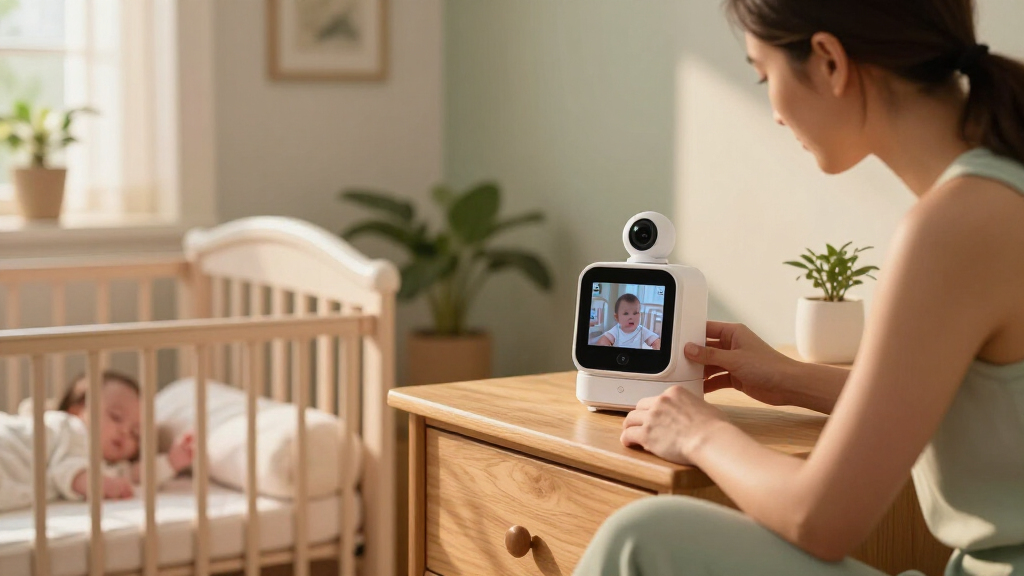
How We Picked
I ranked these systems by how well their design fits the specific promise of clear video with a security-conscious setup. I weighed whether each product uses a dedicated parent screen or depends on a phone and Wi-Fi, the stated camera resolution, available camera coverage, and practical viewing features such as split-screen, zoom, pan-and-tilt, and night vision. I also looked at how easily a buyer can match the system to a single room, multiple rooms, or more than one child.
The ranking favors products that make their core tradeoff easy to understand and combine useful monitoring with a viewing arrangement suited to baby care. The eufy Baby Monitor E21 leads because it brings 4K camera capture together with a dedicated display, while no-Wi-Fi dual-camera models rank well for local, multi-room viewing even without 4K claims. Networked security cameras remain useful choices for remote access or flexible camera control, but they rank lower for buyers seeking a conventional baby-monitor system because they depend more heavily on a connected setup. Product names and supplied feature details guided the comparison; I do not treat a product label alone as proof of specific encryption, storage, or security protections.
| 4k video baby monitor systems secure | Night vision |
|---|---|
| HelloBaby HB6550 No-WiFi Baby | Infrared |
| eufy Baby Monitor E21 with 4K | — |
| Comfyer BM01 7" Split‑Screen B | — |
| eufy Security 4K Indoor Cam S3 | Up to 32 ft |
| Blemil 6" Split Screen Video B | Automatic black-and-white mode |
| HelloBaby HB6550-2 5-Inch No-W | — |
| GoodBaby 5-Inch Split-Screen B | Infrared, up to 15 ft |
| Babysense PRO Full HD 5.5-Inch | — |
| Monai 4K Smart Baby Monitor wi | Eye-safe 950nm infrared |
| eufy Security 4K Indoor Camera | Color and infrared |
| LongPlus 4K 8MP Indoor Securit | — |
| HelloBaby 6” No WiFi Video Ba | Infrared |
| GoodBaby 5-Inch Baby Monitor w | — |
Factors to Consider When Choosing 4k Video Baby Monitor Systems Secure
Choosing a secure monitor starts with deciding how you want to view the camera, not with the highest resolution on the box. The following checks help separate a dedicated baby monitor from a smart indoor camera and reveal tradeoffs that can be easy to miss when comparing feature lists.
Choose Local Viewing or App-Based Access
A no-Wi-Fi system generally links its camera to a dedicated parent unit, so monitoring does not depend on your home router or a phone app. That can make setup more straightforward and limit exposure to online accounts, but it also means remote viewing away from the parent unit may not be available. A Wi-Fi camera can support app access from outside the home, yet its privacy depends on more than the camera itself: account security, software support, network settings, and any cloud features matter too. Before buying, check the manufacturer’s current documentation for supported security controls and update practices rather than assuming that “secure” or “4K” describes them. Pick the viewing method you will actually use overnight and while away, since the extra flexibility of an app is only useful if you are comfortable maintaining it.
Match Camera Resolution to the Screen You Will Watch
A 4K camera can capture more detail than a lower-resolution camera, but the parent display or phone may not show the full image at native resolution. The E21, for example, pairs a 4K camera with a 720p parent screen, so buyers should distinguish camera capture quality from what appears on the included display. Digital zoom, viewing distance, low-light performance, and the size of the screen also affect how much detail is useful in practice. Avoid paying extra for a resolution number if the display, connection, or intended viewing distance limits its benefit. For many households, a clear, stable image at night may matter more than maximum daytime detail.
Plan Camera Count and Screen Layout Before You Buy
Parents monitoring two children or separate rooms should check whether a system includes two cameras, supports split-screen viewing, or requires an additional camera purchase. Split-screen keeps two views visible at once, while switching between feeds can make a sleeping child less convenient to check. A larger display may make side-by-side views easier to read, but it can affect portability and how comfortably the unit fits on a nightstand. Think about likely room changes as well as today’s layout: a second camera is useful only if placement, mounting, and power arrangements work in both spaces. Also confirm whether the system can add cameras later and how many feeds it can show at the same time.
Check Battery, Power, and Overnight Use
Battery capacity is only one part of overnight convenience; screen size, brightness, active video, and signal conditions can all affect how often a parent unit needs charging. A larger screen can make split views easier to scan, while a compact unit may be simpler to carry around the home. Ask whether the camera itself needs continuous power and whether the parent screen can operate while charging. Before relying on a monitor for a full night, learn what its manufacturer says about battery life under different settings, since headline estimates may not reflect constant video use. Keep charging cables and camera placement in mind so the setup remains practical without creating a reach or cord hazard near the crib.
Separate Baby-Monitor Features From Security-Camera Features
Indoor security cameras can offer pan-and-tilt movement, tracking, zoom, or app alerts, but those features do not automatically make them a drop-in replacement for a dedicated baby monitor. A traditional monitor usually centers the experience on a parent screen and routine nursery viewing, while a security camera may prioritize remote access, recording, or wider home coverage. Check how alerts are generated and whether they can be tailored to avoid frequent notifications that do not help with sleep monitoring. If video recording is offered, confirm where clips are stored, how long they remain available, and whether any plan or account is required. Choose the tool around the task: continuous bedside viewing and remote home access are different needs.
Compare Night Viewing and Camera Placement
Night vision is a practical requirement for many nurseries, but a feature listing does not tell you how an image will look in your room. Consider the camera’s position, the distance to the crib, possible glare from nearby surfaces, and whether a status light could be distracting. Pan-and-tilt can help cover a wider area, while a fixed camera avoids movement controls you may not need. Mounting flexibility matters too: a camera that cannot be positioned safely and clearly may leave blind spots regardless of resolution. Plan a stable location with a view of the sleep space, and follow the manufacturer’s placement guidance rather than placing equipment within a child’s reach.
Frequently Asked Questions
Does a 4K baby monitor show a 4K image on its parent screen?
Not necessarily: camera resolution and parent-screen resolution are separate specifications. The eufy Baby Monitor E21 is listed with a 4K camera and a 720p screen, so the included display does not present the full camera resolution as native 4K. A higher-resolution camera may still help with captured detail or zoom, but its benefit depends on the screen and connection used to view it. Compare both specifications before choosing, and decide whether you plan to watch on a dedicated unit or a compatible phone. If you mainly use the parent screen from nearby, a clear, dependable view may matter more than 4K playback.
Is a no-Wi-Fi monitor automatically more secure than a Wi-Fi camera?
No-Wi-Fi systems avoid the home-network and online-account parts of a connected camera setup, which can appeal to families seeking local viewing. That does not establish every detail of a device’s security, such as how its camera-to-screen link is protected or how it handles updates. Wi-Fi cameras can be appropriate for buyers who want remote access, but they require attention to account passwords, software updates, router security, and any cloud storage settings. Check current product documentation for specific protections instead of relying on broad labels. The best fit depends on whether you value simpler local viewing or access from outside the home enough to manage the added connected features.
Should I choose a two-camera split-screen model or a 4K single-camera system?
Choose based on what you need to see at once. A two-camera split-screen system can be more useful for twins, siblings in separate rooms, or a nursery and play area, even when its cameras do not offer 4K resolution. A 4K single-camera system may suit a household focused on detail, zoom, or a particular viewing area. Check whether split-screen shows both feeds simultaneously and whether the screen is large enough to make each view readable. If you expect to add another camera later, verify expansion support and the maximum number of simultaneous feeds before purchasing.
Can an indoor security camera replace a dedicated baby monitor overnight?
It can work for some households, but the experience may differ from a monitor built around a dedicated parent unit. A smart indoor camera can offer phone-based access and camera movement, while a dedicated monitor may provide a more direct bedside screen without relying on an app session. Consider how you will hear alerts, whether the phone must stay nearby, and what happens if Wi-Fi or internet access drops. Also check recording and storage settings if the camera saves video, since those choices can affect privacy and ongoing use. If you want continuous viewing during the night, confirm that the camera and app support the routine you expect rather than assuming security-camera features cover it.
What should I check before buying a monitor for two children?
Start by confirming that the package includes two cameras rather than merely supporting an optional second unit. Then check whether the parent display can show both feeds at the same time, how clearly each feed appears, and whether audio can be heard from both rooms or only the selected one. Consider camera power, placement, and whether both rooms have a suitable outlet and view of the sleep area. If the children sleep in separate rooms, a larger screen or an easy feed-switching control may be more useful than a compact design. Finally, check how many cameras the system can support if your household’s needs may change.
Conclusion
For the strongest blend of a 4K camera and a dedicated parent display, I’d start with the eufy Baby Monitor E21 as the best overall fit, while keeping its 720p screen specification in view. For a best value in local multi-camera viewing, compare the HelloBaby HB6550-2 and other no-Wi-Fi split-screen systems around the number of cameras and layout you need. Buyers seeking a best premium connected setup can look at the eufy Security 4K Indoor Cam S350 for dual-camera and zoom features, provided app-based use suits their privacy preferences. For beginners, a straightforward no-Wi-Fi model such as the HelloBaby HB6550 offers a simpler starting point than a networked security camera. If your specific need is watching two rooms or children at once, prioritize a split-screen kit such as the Comfyer BM01 or Babysense PRO; if remote access and camera movement matter more, compare the connected eufy E30 and LongPlus options. Choose by viewing method and coverage first, then treat resolution as a deciding factor only when it improves the way you will actually monitor.
Fall Picks
fall essentials
As an affiliate, we earn on qualifying purchases.