
TL;DR

Get oils, diffusers and self-care delivered free with Prime
- Fast, free delivery on millions of items
- Prime Video, Amazon Music and more included
- Member-only deals all year
The traditional rule that building is always cheaper no longer holds in 2026. With rising component costs and supply chain issues, prebuilt AI workstations often match or beat DIY prices. Your decision hinges on control, speed, support, and your specific workload.
Imagine this: you need a powerful AI workstation. Do you spend weeks sourcing parts, assembling, tuning, and troubleshooting? Or do you click ‘Order’ and get a system ready to run in days? The answer isn’t as clear as it used to be.
In 2026, the traditional advantage of building your own machine has shrunk. Supply chain issues and soaring component prices mean that prebuilt systems often cost the same or less. So, your decision now depends less on price and more on control, speed, and support.
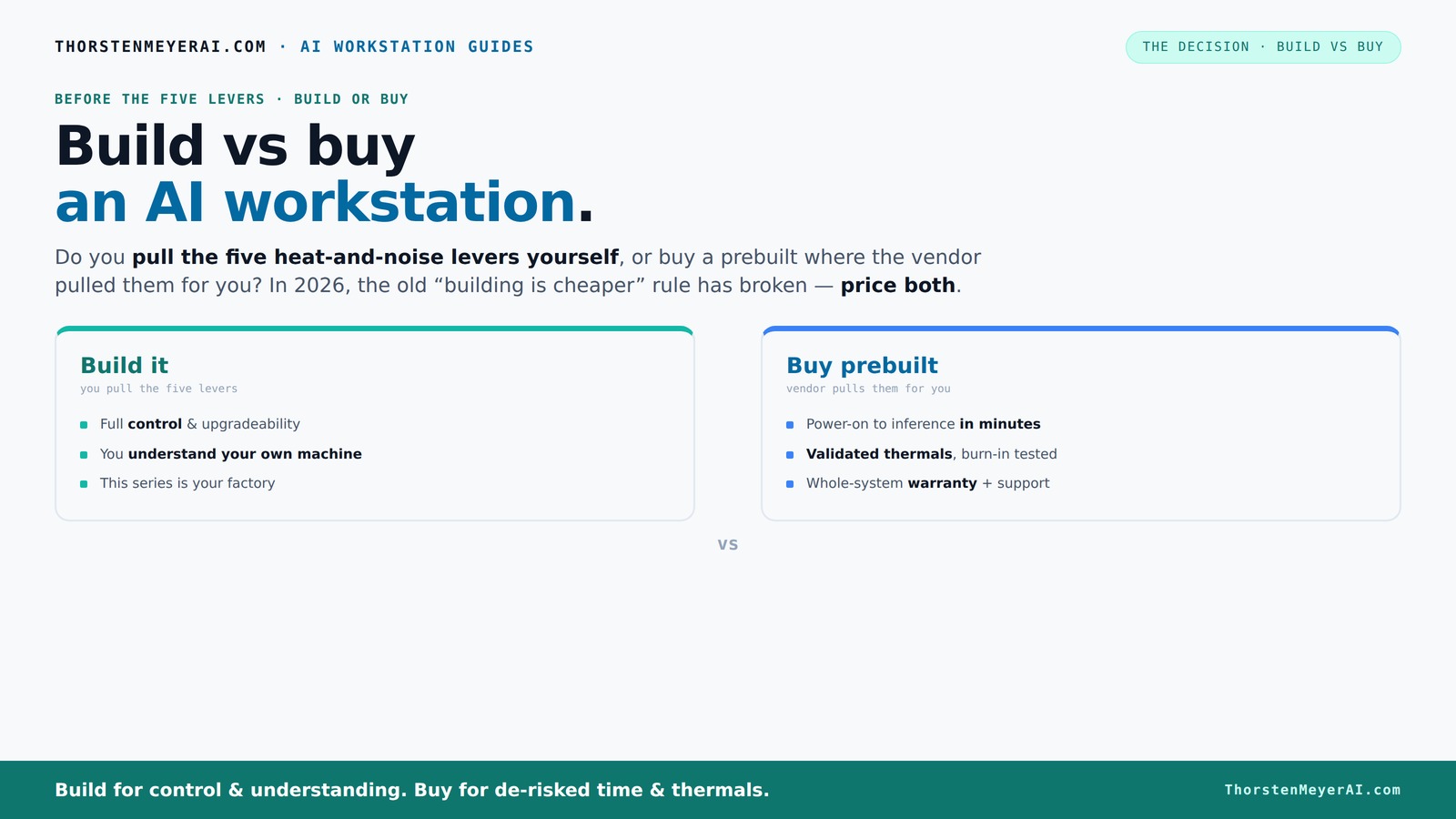
Build vs buy
an AI workstation.
The real question behind this whole series: do you pull the five heat-and-noise levers yourself, or buy a prebuilt where the vendor pulled them for you? And in 2026, the old “building is cheaper” rule has broken. Match your situation in Part 3.
Key Takeaways
- In 2026, prebuilt AI workstations often match or beat DIY costs due to bulk buying and component shortages.
- Buying a prebuilt simplifies thermal management and reduces troubleshooting time, especially for multi-GPU setups.
- Building offers unmatched control over cooling, upgrades, and customization but requires time, skill, and patience.
- GPU choice and VRAM are critical—match your hardware to your specific AI workload for best performance.
- Consider hidden costs like troubleshooting, assembly, and support when deciding to build.
As an affiliate, we earn on qualifying purchases.
Why Building Your Own AI Workstation Might No Longer Be Cheaper
Building an AI workstation used to be cheaper because you picked every part. But in 2026, shortages and price spikes have changed the game. DDR5 RAM, high-end GPUs, and SSDs now often cost 15-30% more than last year.
For example, a DIY build that cost $1,200 last year now easily hits $1,500 or more. Meanwhile, prebuilt vendors bought in bulk before prices spiked, allowing them to offer systems at comparable or even lower prices, with tested thermals and warranties.
So, if you’re chasing the lowest dollar, it’s worth actually pricing both options today—don’t assume DIY is still the cheaper route. Sometimes, the vendor’s bulk purchase wins.
Beyond just the initial cost, building your own system can involve hidden expenses such as extended troubleshooting, compatibility testing, and the time investment needed to fine-tune components for optimal performance. These hidden costs can erode the perceived savings, especially if you’re not an expert. Conversely, prebuilt systems often come with warranties and support that mitigate these risks, making them potentially more cost-effective when considering total ownership costs.
Who’s Pulling the Levers? Building vs Buying in 2026
The core question isn’t just cost. It’s about control over heat, noise, and system stability. Building your own system means you’re the one pulling the five levers: undervolting the GPU, matching coolers, tuning fans, optimizing airflow, and choosing placement.
Buying a prebuilt shifts this burden to the vendor. Companies like Lambda and Puget validate thermals, run extensive burn-in tests, and optimize cooling and noise levels before shipping. This can mean systems that run cooler and quieter—without you lifting a finger.
For example, a prebuilt might come with water cooling and custom fan curves, reducing noise by up to 30%. But if you enjoy tuning and want total control, building gives you that edge.
Understanding how control over thermal management impacts your system’s performance and longevity is crucial. Proper thermal regulation prevents overheating, which can throttle GPU performance and shorten component lifespan. Conversely, inadequate cooling can lead to noisy systems or thermal throttling during intensive workloads. Building your own system allows you to tailor cooling solutions precisely to your needs, but it requires technical skill and ongoing maintenance. Prebuilt systems, while less customizable, often strike a balance by providing optimized thermal management designed by experts, which can be especially beneficial for those who prefer reliability over tinkering.
When Buying a Prebuilt Makes Life Easier
If your time is valuable and you want a plug-and-play experience, buying a prebuilt is the way to go. These systems come with the OS, drivers, and AI stacks preinstalled, letting you start inference or training in minutes.
Plus, you get the reassurance of validated thermals and a support plan. If a component fails mid-training, the vendor covers repairs and troubleshooting—saving you hours of headache.
For instance, a high-end system from BIZON undergoes 48 hours of burn-in testing, ensuring it won’t throttle under heavy loads. This peace of mind can be worth the premium.
In addition to saving time, prebuilt systems often include comprehensive support and warranty options that can significantly reduce downtime and technical headaches. For busy professionals or enterprise environments, this reliability can translate into smoother project timelines and less time spent on hardware issues. Furthermore, prebuilt systems are designed with optimized airflow and thermal solutions, which help maintain performance consistency during prolonged workloads. Ultimately, the convenience and peace of mind offered by prebuilt workstations can be a decisive factor for those who prioritize reliability and quick deployment over customization.
When Building Yourself Offers More Control and Customization
Building your own AI workstation is about tailoring every detail—GPU choice, cooling, power delivery, and future upgrades. It’s perfect if you want a system optimized for your specific workload—like a custom inference server or a specialized research rig.
For example, if you’re doing multi-GPU training, you can select the exact power supplies, water cooling, and airflow setup to prevent throttling and noise. Plus, you learn how the system works, making upgrades or repairs easier down the line.
But it takes time, patience, and some technical skill—your own factory of thermal tuning.
Choosing to build allows you to prioritize specific hardware features, such as higher VRAM configurations or specialized cooling solutions that may not be available in prebuilt options. This level of customization can lead to better performance tailored precisely to your workload, whether it’s training large models or running intensive inference tasks. However, this approach involves a significant learning curve, as well as a commitment of time and effort in sourcing parts, assembling, and testing. The tradeoff is that you gain deep insight into your hardware, which can simplify future upgrades and troubleshooting, but at the expense of initial setup time and risk of compatibility issues.
GPU, VRAM, and Workload Matching: What You Need to Know
For AI tasks, the GPU is king. In 2026, a 24GB RTX 4090 or a 48GB A100 are common choices for local inference and training. But matching VRAM and compute support to your workload is key.
If you’re working with large LLMs or high-res images, aim for GPUs with at least 24-32GB VRAM. For lighter tasks, a 12GB card might suffice.
For example, a hobbyist running stable diffusion with a 12GB GPU might hit VRAM limits, slowing down or crashing. Upgrading to a 24GB GPU can boost performance significantly.
Choosing the right GPU involves understanding your workload’s demands and future scalability. Investing in a GPU with more VRAM than currently needed can provide headroom for larger models or datasets, extending the useful life of your system. Conversely, overestimating your needs can lead to unnecessary expenses. Carefully evaluating your workload’s memory and compute requirements ensures you select hardware that balances performance and cost effectively. Refer to dedicated guides, like the GPU matching resource linked here, for deeper insights into making the best choice for your specific AI applications.
The Hidden Costs of Building Your Own System
Building isn’t just about saving money. Hidden costs include hours spent sourcing parts, troubleshooting BIOS issues, and testing cooling solutions. Sometimes, these can add up to days or even weeks of work.
And if you’re not an expert, you might buy incompatible parts or end up with a noisy, unstable machine. Plus, warranty support is fragmented—each component might have its own coverage, complicating repairs.
For instance, a DIY builder might spend an extra $300 fixing cooling or power delivery issues, which a prebuilt system already tested and supported would have avoided. These hidden costs can also include the opportunity cost of your time, which might be better spent on your core work or research. Additionally, troubleshooting hardware issues without proper expertise can lead to prolonged downtime, impacting project deadlines. The risk of incompatible components or suboptimal configurations increases with complexity, making prebuilt systems a compelling alternative for those who prefer a hassle-free experience with guaranteed support.
Decision Checklist: Should You Build or Buy?
- Do you need immediate access and minimal setup? Buy.
- Are you comfortable tuning and troubleshooting? Build.
- Is cost a deciding factor? Compare current prices carefully. Either.
- Do you need maximum control over thermals and upgrades? Build.
- Is support and warranty critical? Buy.
- Are you doing multi-GPU workloads? Buy.
Remember, your choice should reflect your specific needs, skills, and priorities. While cost is important, factors like time, control, and support can outweigh initial savings. Consider consulting with experts or vendors to clarify your options and ensure your decision aligns with your workload demands and long-term goals.
Frequently Asked Questions
Is it cheaper to build or buy a prebuilt AI workstation?
In 2026, due to component shortages and bulk buying, prebuilt systems often cost the same or less than building your own. Always compare prices for your specific configuration before deciding.
What GPU do I need for AI work?
For most local inference and training, a GPU with at least 12-24GB VRAM is recommended. High-end models like the RTX 4090 or A100 excel for large models and data-heavy tasks.
How much VRAM is enough for local LLMs or image generation?
For large language models or high-res images, 24GB or more VRAM is ideal. Smaller models or lighter tasks can run well on 12-16GB cards.
Is a prebuilt workstation good enough for training models?
Yes, especially if it’s validated and comes with support. For very specialized setups or multi-GPU training, a prebuilt from a vendor like Lambda ensures thermal stability and reliability.
What are the hidden costs of building my own?
Hidden costs include time spent sourcing parts, troubleshooting, testing, and potential warranty fragmentation. These can add hundreds of dollars and days of work compared to buying a ready-made system.
Conclusion
Choosing between building and buying your AI workstation isn’t just about saving money anymore. It’s about what matters most—speed, control, or support. In 2026, many find that a prebuilt system offers a faster, more reliable path to AI productivity.
But if you crave customization or want to learn every detail of your hardware, building remains a rewarding challenge. Either way, measure your needs carefully—your perfect AI rig is out there, waiting to be powered up.
Halloween Picks
halloween
As an affiliate, we earn on qualifying purchases.